
Medical billing is the process that allows healthcare providers to receive payment for the services they give to patients. This process is not simple – it involves many steps, multiple people, detailed paperwork, and constant communication between medical practices, insurance companies, and patients. Without proper medical billing, healthcare providers would struggle to stay in business, and patients would face confusion about what they owe.
Understanding medical billing helps everyone involved. For patients, it explains why medical bills look the way they do and where charges come from. For people who work in medical practices, it provides a clear picture of how their daily tasks fit into the bigger financial picture. For healthcare providers, it shows how their documentation directly affects whether they get paid.
This guide walks through every part of the medical billing cycle from start to finish. It explains what happens at each stage, who does the work, what can go wrong, and how to fix problems. Whether you are new to medical billing or want to improve your knowledge, this guide gives you the information you need.
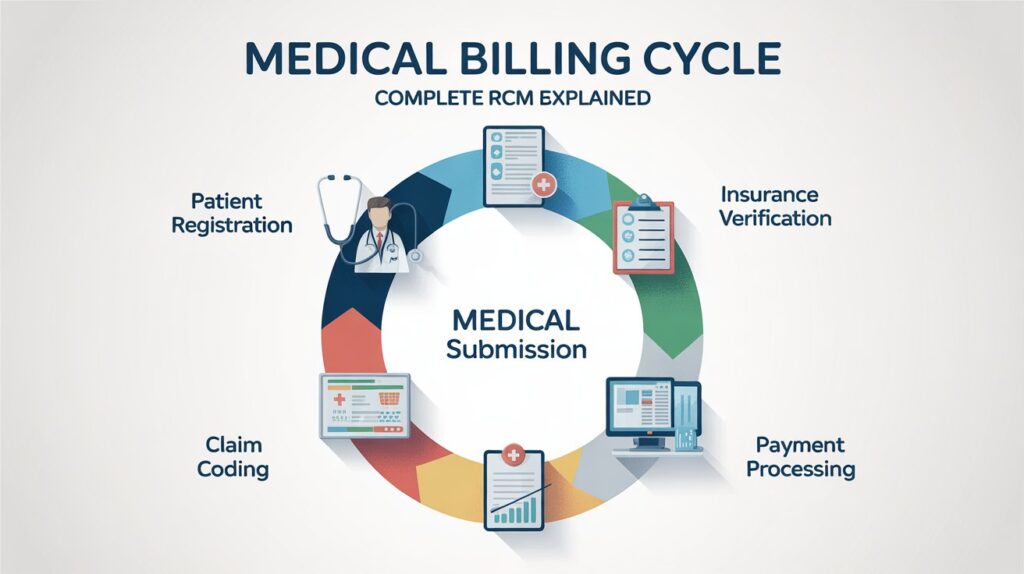
What is the Medical Billing Cycle
The medical billing cycle is the complete journey from the moment a patient schedules an appointment to the moment a healthcare provider receives full payment for their services. This cycle can take anywhere from a few days to several months, depending on how smoothly things go.
The cycle involves many different players. The medical practice staff schedule appointments and collect patient information. Healthcare providers examine patients and document what they do. Medical coders translate that documentation into standardized codes. Billing specialists submit claims to insurance companies. Insurance companies review those claims and decide what to pay. Patients receive bills for any remaining balance. Collection staff follow up on unpaid amounts.
Each step in this cycle depends on the previous steps being done correctly. When patient information is wrong at registration, claims get denied later. When healthcare providers do not document properly, coders cannot assign the right codes. When codes are wrong, insurance companies reject claims. One small mistake early in the cycle can cause big problems down the line.
The Flow of Medical Billing
The medical billing cycle follows a logical sequence. It starts with administrative tasks before the patient even arrives. Then the medical work happens during the appointment. After that, billing and coding staff do their work. Finally, payment collection happens over weeks or months.
Think of it like an assembly line. Each person does their specific job and passes the work to the next person. When everyone does their job well, payments arrive quickly. When someone makes mistakes or skips steps, the whole line backs up.
Understanding this flow helps you see where your work fits in. If you register patients, you see how your accuracy affects the billing staff weeks later. If you code medical records, you understand why healthcare providers need complete documentation. If you follow up on unpaid claims, you know why verification before the appointment saves you work later.
Complete Medical Billing Process Overview
Before diving into each step, it helps to see the entire process at once. This table shows every major stage in the medical billing cycle, what happens at each stage, who does the work, and how long it typically takes.
| Stage | What Happens | Who Does It | Timeframe | Common Problems |
| Pre-Registration | Patient schedules appointment, provides basic information | Front desk staff, schedulers | 1-30 days before visit | Incomplete information, wrong phone numbers |
| Insurance Verification | Staff check that insurance is active and covers planned services | Billing staff, verification specialists | 1-7 days before visit | Inactive policies, services not covered, missing authorization |
| Patient Check-In | Patient arrives, confirms information, signs consent forms | Front desk staff | Day of visit, 5-15 minutes | Information changed but not updated, forgotten forms |
| Medical Services | Healthcare provider examines patient and provides treatment | Healthcare provider, nurses, medical assistants | Day of visit, 15-60 minutes | Incomplete documentation, unclear notes |
| Charge Capture | All services and supplies used are recorded | Healthcare provider, nursing staff | Day of visit | Missed charges, wrong quantities |
| Medical Coding | Services translated into standardized codes | Medical coders, certified coding specialists | 1-3 days after visit | Wrong codes, missing codes, unbundling errors |
| Charge Entry | Codes and fees entered into billing system | Billing staff, charge entry specialists | 1-3 days after visit | Data entry errors, duplicate charges |
| Claim Generation | System creates claim with all codes and information | Billing software automatically | Immediately after charge entry | System errors, formatting problems |
| Claim Scrubbing | Automated checks look for errors before submission | Clearinghouse software | Minutes after claim generation | Rules not updated, false positives |
| Claim Submission | Claim sent to insurance company | Billing staff via clearinghouse | 1-2 days after scrubbing | Clearinghouse rejections, connectivity issues |
| Claim Received | Insurance company acknowledges receiving claim | Insurance company systems | 1-2 days after submission | Lost claims, wrong payer address |
| Claim Adjudication | Insurance reviews claim and decides payment | Insurance adjusters, claims processors | 7-30 days after receipt | Denials, requests for more information |
| Payment Processing | Insurance sends payment to medical practice | Insurance company payment department | 14-45 days after submission | Short payments, wrong amounts |
| Payment Posting | Payment recorded in patient account | Billing staff, payment posters | 1-2 days after receiving payment | Posting to wrong account, math errors |
| Patient Billing | Statement sent to patient for remaining balance | Billing system automatically | 1-7 days after payment posting | Unclear statements, wrong addresses |
| Payment Collection | Patient pays their portion | Patient, front desk staff | 30-90 days after billing | Non-payment, disputes, financial hardship |
| Follow-Up | Staff contact patient or insurance about unpaid amounts | Collections staff, billing specialists | Ongoing until resolved | Hard to reach patients, long hold times with insurance |
| Resolution | Account fully paid, written off, or sent to collections | Billing manager, collections agency | 30-180 days after service | Bad debt, damaged patient relationships |
This overview shows how many steps exist and how long the process takes. A simple office visit might result in payment within two weeks. A complicated case with multiple insurance issues might take six months or longer to resolve completely.
Patient Registration: The Foundation of Billing
Patient registration is where the medical billing cycle truly begins. This happens when a patient first contacts a medical practice to schedule an appointment. During registration, staff collect information that will be used throughout the entire billing process.
Good registration prevents problems later. When staff gather accurate, complete information from the start, claims go through smoothly. When information is wrong or missing, claims get rejected and must be resubmitted, delaying payment by weeks or months.
Demographic Information Collection
The first type of information collected is demographic data. This includes the patient’s full legal name exactly as it appears on their insurance card. Middle names and suffixes like Jr. or Sr. matter because insurance companies match names precisely.
Staff also collect the patient’s date of birth, which insurance companies use to identify the patient. Two patients might have the same name, but they will not have the same birth date. This field must be entered correctly.
Contact information comes next. The practice needs a current mailing address where they can send bills and correspondence. They need a phone number to call about appointments, test results, and billing questions. Many practices also collect email addresses for electronic communication.
Some practices ask for a preferred method of contact. Some patients want phone calls, others prefer text messages or emails. Recording these preferences improves communication and makes patients happier.
Insurance Information Gathering
Insurance information is the most important part of registration. Staff need to see the patient’s actual insurance card, not just hear the information over the phone. Many patients think they know their policy details but get numbers wrong.
From the insurance card, staff record the insurance company name, the policy or member ID number, and the group number if there is one. They note whether this is the patient’s primary insurance or if they have secondary insurance as well.
The policyholder’s name and date of birth are needed if the patient is covered under someone else’s insurance, such as a spouse’s or parent’s plan. The relationship to the policyholder must be recorded – spouse, child, or other dependent.
For patients with Medicare, staff record the Medicare number. For Medicaid patients, they collect the Medicaid ID number. These government programs have different requirements than private insurance.
| Information Field | Why It Matters | What Happens If Wrong |
| Patient Full Legal Name | Must match insurance exactly | Claim rejected for name mismatch |
| Date of Birth | Identifies patient in insurance system | Claim denied for wrong patient |
| Insurance Company Name | Determines where to send claim | Claim goes to wrong company |
| Policy/Member ID | Identifies specific insurance policy | Claim rejected immediately |
| Group Number | Some policies require it | Claim denied or delayed |
| Policyholder Name | Needed when patient is dependent | Claim cannot process |
| Primary vs Secondary | Determines billing order | Wrong insurance billed first |
Making Copies of Important Documents
Best practice is to make copies of the insurance card – both front and back. The back often contains important information like claims submission addresses and phone numbers for providers to call. Some practices scan insurance cards into their computer system.
Staff should also copy the patient’s photo ID, usually a driver’s license. This helps verify the patient’s identity and prevents insurance fraud. Some practices are legally required to verify identity.
These copies become part of the patient’s permanent record. They prove what information the patient provided if questions arise later.
New Patient versus Established Patient
New patients require more detailed registration. Staff collect complete medical history, emergency contacts, preferred pharmacy, and authorization forms. They explain office policies about billing, payments, and cancellations.
Established patients still need registration updates at each visit. People move, change insurance, get married and change names, or switch phone numbers. Staff should ask every patient at every visit if any information has changed.
Many practices have patients review their information on paper forms or electronic tablets before each appointment. The patient checks that everything is still correct and notes any changes. This takes the burden off front desk staff and improves accuracy.
Special Registration Situations
Some situations require extra attention during registration. Patients involved in auto accidents might have their medical bills covered by auto insurance rather than health insurance. Workers’ compensation cases have completely different billing rules and forms.
Pregnant patients need information about whether the baby will be added to the mother’s insurance or covered separately. Patients on disability might qualify for Medicaid or Medicare.
International patients or patients without insurance need different handling. The practice needs to know upfront so they can discuss payment arrangements before providing services.
Insurance Verification: Preventing Problems Before They Start
After registration, the next step is verifying that the patient’s insurance is active and will cover the planned services. This step happens after the appointment is scheduled but before the patient arrives. Smart medical practices verify insurance for every patient before every visit.
Insurance verification prevents surprises. It confirms the patient actually has active coverage. It shows what services are covered under their specific plan. It reveals if the patient needs pre-authorization for certain treatments. All of this information helps the practice know whether they will get paid.
What Gets Verified
Verification involves checking multiple pieces of information with the insurance company. Staff confirm that the insurance policy is currently active. They check the effective dates to make sure coverage was in place on the scheduled appointment date.
They verify the patient’s deductible amount – the money the patient must pay before insurance starts covering costs. They find out how much of that deductible the patient has already met for the current year. A patient with a $2,000 deductible who has already paid $1,800 only owes $200 more before insurance kicks in.
Staff check co-payment amounts. A co-pay is a fixed dollar amount the patient pays at each visit. One plan might have a $20 co-pay for primary care visits and a $40 co-pay for specialists. Knowing this ahead of time lets staff collect payment when the patient arrives.
Co-insurance percentages are also verified. After meeting the deductible, many patients still pay a percentage of costs. An 80/20 plan means insurance pays 80% and the patient pays 20%. A $100 charge would cost the patient $20 plus any applicable deductible.
Provider Network Status
An important part of verification is confirming whether the healthcare provider is in the patient’s insurance network. In-network providers have contracts with insurance companies agreeing to accept lower payments. Out-of-network providers can charge more, but patients pay higher out-of-pocket costs.
If the healthcare provider is out-of-network for the patient’s insurance, the patient needs to know before the visit. They might want to choose a different provider, or they might decide to proceed knowing they will pay more.
Some insurance plans do not cover out-of-network providers at all. The patient would be responsible for the entire bill. These patients definitely need to know before receiving services.
Coverage for Specific Services
Not all insurance plans cover all services. Verification includes checking whether the specific service the patient is scheduled for is covered under their plan. An insurance plan might cover annual physical exams but not cosmetic procedures. It might cover generic medications but not brand names.
Staff ask the insurance company about coverage for the exact CPT code or service the healthcare provider plans to perform. This specificity matters because two similar-sounding services might have different coverage.
Some services require pre-authorization or prior approval. These are typically expensive services like MRI scans, surgeries, sleep studies, or infusion therapies. Without authorization, insurance will not pay even if the service is normally covered.
| Verification Item | What Staff Check | Why It Matters |
| Active Coverage | Is policy currently in effect | Inactive policy means no payment |
| Effective Dates | When did coverage start and end | Services before or after dates not covered |
| Deductible Amount | How much patient must pay before coverage | Determines patient’s out-of-pocket cost |
| Deductible Met | How much patient already paid toward deductible | Shows how much patient still owes |
| Co-pay Amount | Fixed fee patient pays at visit | Staff collect at time of service |
| Co-insurance Percentage | What percent patient pays after deductible | Helps estimate patient cost |
| In-Network Status | Is provider contracted with insurance | Affects payment amount and patient cost |
| Service Coverage | Is specific service covered | Prevents billing for non-covered services |
| Pre-authorization Required | Does service need approval | Must obtain before service or no payment |
| Referral Required | Does patient need referral from primary care | Missing referral means denial |
How Verification Happens
Staff verify insurance through multiple methods. Many insurance companies offer online portals where staff can log in and check eligibility instantly. These portals show real-time information and are the fastest verification method.
Some practices use automated verification systems that check eligibility electronically without staff needing to log into portals. These systems send eligibility requests and receive responses automatically.
Phone verification is still common, especially for insurance companies without good online systems. Staff call the insurance company’s provider line and speak with a representative. Phone verification takes longer and requires documenting the representative’s name, reference number, and what they said.
Documenting Verification Results
Every verification must be documented. Staff record when verification was done, who did it, what method was used, and what information was obtained. If they spoke with an insurance representative, they write down that person’s name and a reference or confirmation number.
This documentation protects the practice if problems arise later. If insurance denies a claim saying the patient was not eligible, the practice can point to their verification documentation showing they were told the patient had coverage.
Documentation also helps other staff members. If a patient calls with questions about their insurance coverage, any staff member can look at the verification notes and answer accurately.
When Verification Reveals Problems
Sometimes verification uncovers issues. The patient might think they have insurance, but the policy lapsed because they did not pay their premiums. The patient might have given the practice their old insurance information after switching to a new plan.
When verification shows problems, staff must contact the patient immediately. The patient needs to know before their appointment that insurance will not cover their visit. They can then update their insurance information, reschedule until insurance issues are resolved, or decide to pay out of pocket.
Catching these problems before the visit saves everyone hassle. The alternative is the patient receiving services, the practice submitting a claim that gets denied, and then trying to collect full payment from a surprised and upset patient.
The Patient Visit and Clinical Documentation
The patient visit is where medical care actually happens. This is when the healthcare provider examines the patient, diagnoses conditions, and provides treatment. From a billing perspective, everything that happens during this visit must be documented so it can be translated into codes and billed.
Good documentation supports good billing. When healthcare providers write clear, detailed notes about what they did and why, coders can assign accurate codes. When documentation is vague or incomplete, coders must guess or query the provider for clarification, which delays billing.
Patient Check-In Process
When the patient arrives at the medical practice, they check in at the front desk. Staff verify the patient’s identity and confirm that their information is still correct. Patients sign in and might update information on forms.
The front desk collects any co-payment due at the time of service. Collecting co-pays upfront is easier than billing for them later. Patients expect to pay something at the visit, so most pay without objection when asked.
Staff give the patient any necessary forms to complete. New patients fill out medical history forms. All patients might need to sign consent forms for treatment, privacy notices, or financial policies.
What Happens During the Medical Visit
The healthcare provider sees the patient and performs whatever services are needed. This might be a simple checkup or a lengthy consultation. The provider examines the patient, orders tests, prescribes medications, performs procedures, or provides counseling.
Every action the provider takes should be documented. The provider writes notes describing what the patient complained about, what examinations were performed, what was found, what the diagnosis is, and what treatment plan was created.
Documentation includes the patient’s chief complaint – the main reason they came in. It describes the history of present illness – how long symptoms have lasted and what makes them better or worse. It records review of systems – the provider’s questions about different body systems.
The physical examination section describes what the provider looked at and what they found. If they listened to the patient’s heart and lungs, they write what they heard. If they examined the patient’s throat, they describe what they saw.
Levels of Service and Documentation Requirements
Healthcare providers can bill for different levels of office visits depending on how much work was involved. A simple visit where the provider spends five minutes checking a healing wound is a low-level visit. A complicated visit where the provider spends an hour addressing multiple serious medical problems is a high-level visit.
Higher-level visits pay more money, but they require more extensive documentation. The documentation must show that the provider really did the work required for that level.
There are generally five levels of office visits for established patients and five for new patients. Each level has specific documentation requirements around history, examination, and medical decision-making.
Medical decision-making refers to how complicated the patient’s problems are and how much thought the provider put into diagnosis and treatment. Straightforward cases are low complexity. Cases involving multiple conditions, lots of data to review, or high risk of complications are high complexity.
| Visit Component | What Must Be Documented | Why It Matters for Billing |
| Chief Complaint | Why patient came in | Justifies the visit |
| History of Present Illness | Duration, severity, symptoms | Supports diagnosis codes |
| Review of Systems | Questions about body systems | Affects visit level |
| Past Medical History | Previous conditions, surgeries | Provides context |
| Current Medications | What patient takes | May affect treatment plan |
| Physical Examination | What was examined and found | Supports procedure codes |
| Assessment | Provider’s diagnosis | Becomes ICD diagnosis codes |
| Plan | Medications, tests, follow-up | Generates additional charges |
| Time Spent | For time-based billing | Alternative way to determine level |
Procedures and Services Performed
Beyond the office visit itself, healthcare providers often perform other billable services. They might do an EKG, remove a skin lesion, inject medication, or order lab tests. Each of these services is billed separately from the office visit.
Documentation must clearly show that each service was actually performed and was medically necessary. If the provider removes a mole, the notes should describe where the mole was located, why it was removed, what method was used, and what was done with the tissue afterward.
When providers order tests or x-rays, they should document the medical reason for ordering them. Insurance companies want to see that tests were necessary, not just routine screening without cause.
Diagnoses and Medical Necessity
The diagnosis is the condition or disease the healthcare provider determines the patient has. Every service billed must have a diagnosis that justifies it. This is called medical necessity.
A chest x-ray is medically necessary for a patient with pneumonia symptoms. The same x-ray is not medically necessary for a patient with a sprained ankle. Insurance companies pay for services that are medically necessary and deny services that are not.
Healthcare providers should list all relevant diagnoses, putting the main reason for the visit first. Secondary diagnoses might include chronic conditions like diabetes or high blood pressure that were addressed during the visit.
The more specific the diagnosis, the better. Instead of “abdominal pain,” good documentation specifies “lower right quadrant abdominal pain.” This specificity helps coders choose the most accurate diagnosis codes.
Documentation Methods
Healthcare providers document visits in different ways. Some still write notes by hand on paper charts. Many type notes into electronic health record systems. Others use voice recognition software that types as they speak.
Each method has advantages and disadvantages. Handwritten notes are quick but can be hard to read. Typed notes are clear but take time. Voice recognition is fast but can make mistakes that must be corrected.
Regardless of method, documentation should be completed as soon as possible after the visit, preferably the same day. Providers who wait days or weeks to finish their notes forget important details.
Templates and Shortcuts
Many electronic health record systems use templates that guide providers through documentation. Templates include all the required sections and let providers click checkboxes for normal findings.
Templates save time and help make sure nothing is forgotten. However, providers must still customize documentation for each patient. Copy-and-paste documentation where every patient’s note looks identical raises red flags for insurance companies and auditors.
Shortcuts and abbreviations are common in medical documentation, but they must be used carefully. Standard medical abbreviations are fine. Made-up abbreviations that only one provider understands cause confusion.
Medical Coding: Translating Care into Numbers
After the healthcare provider documents the visit, medical coders review those notes and translate everything into standardized codes. These codes are numbers that represent diagnoses, procedures, and services in a way that insurance companies and billing systems understand.
Medical coding is highly skilled work. Coders must understand medical terminology, anatomy, physiology, and disease processes. They must know thousands of codes and the rules about when to use each one. They must read provider documentation and determine what codes accurately describe what happened.
Why Medical Coding Exists
Medical coding creates a universal language for healthcare. A healthcare provider in California and one in New York might describe the same condition differently in their notes, but they use the same diagnosis code. This standardization allows insurance companies to process claims consistently.
Codes also allow for data analysis. Public health officials track disease trends by looking at diagnosis codes. Researchers study treatment outcomes using procedure codes. Hospital administrators analyze their patient populations through coded data.
For billing purposes, codes determine how much insurance companies pay. Each code has a specific payment amount associated with it. Using the right codes means getting appropriate payment.
ICD Diagnosis Codes
ICD stands for International Classification of Diseases. These codes describe what conditions, diseases, or symptoms the patient has. The current version used in the United States is ICD-10-CM.
ICD-10 codes are very specific. There are over 70,000 different codes. This specificity allows for precise description of medical conditions. For example, there are different codes for a fracture of the right wrist versus the left wrist, for an initial encounter versus a follow-up visit, and for different types of fractures.
ICD codes are alphanumeric – they start with a letter followed by numbers. A code might be three, four, five, six, or seven characters long. More characters mean more specificity.
Coders must choose the most specific code that the documentation supports. If the healthcare provider wrote “pneumonia,” the coder needs to know what type of pneumonia. Bacterial pneumonia has different codes than viral pneumonia. If the documentation does not specify, the coder must query the provider.
| ICD Code Example | What It Means | Why Specificity Matters |
| E11 | Type 2 diabetes mellitus | Too vague, will be rejected |
| E11.9 | Type 2 diabetes without complications | Acceptable but not ideal |
| E11.65 | Type 2 diabetes with hyperglycemia | More specific, better |
| J18 | Pneumonia, unspecified organism | Vague |
| J18.9 | Pneumonia, unspecified | Acceptable if type unknown |
| J15.211 | Pneumonia due to Methicillin susceptible Staphylococcus aureus | Very specific, ideal if documented |
CPT Procedure Codes
CPT stands for Current Procedural Terminology. These codes describe what the healthcare provider did during the visit. They cover office visits, surgeries, tests, injections, and thousands of other services.
CPT codes are five-digit numbers. Like ICD codes, they are very specific. There are different codes for different types of office visits, different lengths of time, and different complexity levels.
Some common CPT code ranges include:
- 99201-99215: Office visits
- 99381-99397: Preventive care visits
- 80047-89398: Laboratory tests
- 70010-79999: Radiology services
- 90281-99607: Medicine services like vaccines
Coders must match the CPT code to what the healthcare provider actually did and documented. An office visit code requires documentation showing the appropriate level of history, examination, and decision-making.
HCPCS Codes
HCPCS stands for Healthcare Common Procedure Coding System. Level I HCPCS codes are the same as CPT codes. Level II HCPCS codes cover things CPT does not address, particularly supplies, equipment, and medications.
HCPCS Level II codes start with a letter followed by four numbers. They describe items like wheelchairs, prosthetics, diabetic testing supplies, and injectable drugs.
Medical practices use HCPCS codes when they provide supplies to patients or when they administer medications. A practice giving a patient a knee brace would use a HCPCS code for that brace.
Code Modifiers
Modifiers are two-digit or two-character codes added to CPT or HCPCS codes to provide additional information. They explain circumstances that change how the code should be interpreted or paid.
Common modifiers include:
- 25: Significant, separately identifiable evaluation and management service
- 59: Distinct procedural service
- LT: Left side of body
- RT: Right side of body
- 76: Repeat procedure by same physician
Modifiers are important because they prevent denials. Without the correct modifier, insurance might deny a claim thinking it is duplicate or bundled with another service.
For example, if a healthcare provider performs both an office visit and a minor procedure during the same appointment, modifier 25 on the office visit code tells insurance that the visit was significant and separately identifiable from the procedure. Without that modifier, insurance would likely deny payment for the office visit.
Coding Guidelines and Rules
Medical coding has extensive guidelines that coders must follow. These guidelines come from several sources: the American Medical Association (for CPT codes), the Centers for Medicare and Medicaid Services (for ICD codes used in the US), and insurance companies (their specific coverage policies).
Some important rules include:
Code to the highest level of specificity Always use the most specific code available. Never use a vague code when a specific one exists.
Code all documented conditions Include all diagnoses that affect the patient’s care during the visit, not just the main reason for coming in.
Do not code suspected conditions as if confirmed If the provider writes “possible pneumonia,” do not code pneumonia. Code the symptoms instead.
Link diagnoses to procedures Each procedure code needs at least one diagnosis code that explains why the procedure was necessary.
Follow the coding order Primary diagnosis comes first, followed by secondary diagnoses in order of importance.
Certified Coders
Professional medical coders often obtain certification to demonstrate their knowledge. Organizations like AAPC and AHIMA offer coding certifications. Certified Professional Coders (CPC) have passed rigorous exams covering anatomy, medical terminology, coding guidelines, and billing regulations.
Certified coders generally make fewer errors than non-certified coders. Their expertise helps medical practices avoid denials, reduce audits, and maximize appropriate reimbursement.
Some medical practices have healthcare providers do their own coding, selecting codes from lists in their electronic health record systems. This works for simple visits but increases error rates. Complex cases benefit from professional coder review.
Common Coding Errors
Several coding mistakes happen frequently:
Upcoding means choosing a higher-level code than documentation supports to get more payment. This is illegal and can result in audits, fines, and criminal charges.
Downcoding means choosing a lower-level code than appropriate, leaving money on the table. Some coders downcode out of fear of audits, but this costs the practice revenue.
Unbundling means billing separately for services that should be reported together with a single code. Insurance considers this fraud.
Incorrect modifiers or missing modifiers cause denials. Coders must understand when modifiers are required.
Wrong diagnosis codes that do not match the documented condition cause denials for medical necessity.
Quality assurance programs where experienced coders review others’ work help catch and correct errors before claims are submitted.
Charge Capture: Recording Every Billable Service
Charge capture is the process of recording every service and supply used during a patient’s care. This step happens immediately after the patient’s visit or procedure. Complete and accurate charge capture makes sure the medical practice bills for everything it provided and gets paid appropriately.
Why Charge Capture Matters
Healthcare providers perform many billable services beyond just the office visit. They administer vaccines, remove lesions, perform tests, provide medical supplies, and more. Each of these items can and should be billed separately.
When charges are not captured, the practice loses money. If a healthcare provider gives a patient a vaccination but nobody records it, that vaccine never gets billed. The practice paid for the vaccine, paid staff time to administer it, but receives no payment.
Studies show that many medical practices lose 10% or more of potential revenue due to missed charges. In a practice that should collect $1 million per year, that is $100,000 left on the table.
What Gets Captured
Charge capture includes every billable element of patient care:
Office visits or consultations The face-to-face time and cognitive work of the healthcare provider.
Procedures Anything hands-on the provider does, from injections to minor surgeries. Laboratory tests Blood draws, urinalysis, rapid strep tests, and other in-office lab work. Imaging X-rays, ultrasounds, or other imaging if done in the practice.
Medications administered Vaccines, injections, infusions given during the visit.
Medical supplies Knee braces, surgical trays, splints, or other items given to the patient. Services by other staff Nursing assessments, diabetic education, nutritional counseling. Each of these items requires its own code and separate charge.
| Service Category | Examples | How It Gets Captured |
| Office Visit | New patient visit, established patient follow-up | Provider selects level of service |
| Minor Procedures | Wart removal, abscess drainage, wound repair | Provider documents procedure |
| Injections | Vaccines, trigger point injections, B12 shots | Nursing staff records administration |
| Lab Tests | Hemoglobin A1c, urine pregnancy test, flu swab | Lab staff logs test performed |
| Supplies | Walking boot, sling, surgical tray | Staff records items given to patient |
| Extended Services | Prolonged office visit, care coordination | Provider documents extra time/work |
Who Captures Charges
Different people in the medical practice are responsible for capturing different charges. Healthcare providers capture charges for office visits and procedures they personally perform. Nurses capture charges for services they provide and medications they administer. Laboratory staff record tests they run. Front desk staff might record supply charges.
This shared responsibility requires good communication. If a nurse gives a patient a vaccine but forgets to document it, the charge never gets entered even if the provider remembers to write about the vaccine in their notes.
Many practices use encounter forms (also called superbills). These are paper or electronic forms that list common procedures and services the practice provides. As each service is delivered, someone checks it off on the form. At the end of the visit, the completed form goes to billing staff who enter all the charges.
Charge Capture Methods
Paper Encounter Forms The healthcare provider or staff check boxes on a printed sheet listing common services and codes. After the visit, someone manually enters these charges into the billing system. This method is simple but prone to errors and lost forms.
Electronic Encounter Forms The provider selects services on a computer screen or tablet. Charges automatically flow into the billing system. This reduces errors and ensures nothing gets lost.
EHR Integration Modern electronic health record systems capture charges automatically based on provider documentation. When the provider documents giving a vaccine, the system adds the vaccine charge. This is the most efficient method but requires good system setup.
Charge Tickets Pre-printed forms specific to each patient with their information already filled in. The provider checks off services performed and turns in the ticket. Works well for high-volume practices.
Special Charge Capture Situations
Some services require extra attention for charge capture:
Time-Based Billing Some services are billed based on how much time was spent. Counseling, care coordination, and prolonged office visits fall into this category. The provider must document start and stop times to justify the charges.
Incident-To Billing When non-physician providers like nurse practitioners or physician assistants see patients, billing rules differ based on whether a physician is present and involved. Charge capture must note who provided which services.
Split/Shared Visits When both a physician and a non-physician provider see the same patient during one visit, special rules apply to billing. Documentation and charge capture must clearly show each person’s contribution.
Preventing Missed Charges
Medical practices use various strategies to reduce missed charges:
End-of-Day Charge Reconciliation At the end of each day, staff compare the appointment schedule with entered charges. Every patient who had an appointment should have charges. Any missing charges get investigated immediately while staff memory is fresh.
Charge Lag Reports These reports show which providers have patients with no charges entered days after the visit. This identifies providers who are behind on documentation or charge entry.
Supply Tracking Practices track supplies used from inventory. If ten knee braces were removed from stock but only eight were charged, two charges are missing.
Procedure Log Audits For procedures, staff maintain logs of what was done. These logs get compared to billed charges to find gaps.
Claim Creation and Scrubbing
After coding and charge entry are complete, the practice’s billing system generates insurance claims. A claim is an electronic or paper document requesting payment from an insurance company. It contains all the information the insurance company needs to process payment: patient information, provider information, diagnosis codes, procedure codes, and charges.
What Information Goes on a Claim
Claims follow standard formats. The most common format is called CMS-1500 for professional services (doctors, therapists, etc.) or UB-04 for institutional services (hospitals, nursing homes). These forms have specific fields where specific information goes.
The claim includes:
Patient demographic information Name, date of birth, address, gender, insurance ID number.
Insurance information Name of insurance company, policy number, group number, whether this is primary or secondary insurance.
Provider information Healthcare provider name, practice name, address, National Provider Identifier (NPI) number, tax ID number.
Service information Date of service, place of service, diagnosis codes, procedure codes, charges, units.
Referring provider If the patient was referred by another provider, that information goes on the claim.
Authorization numbers For services that required pre-authorization, the authorization number proves approval was obtained.
Every field must be completed correctly. Claims with missing or incorrect information get rejected or denied.
| Claim Field | What Goes There | Common Errors |
| Patient Name | Full legal name matching insurance | Nickname used instead of legal name |
| Date of Birth | Patient’s birth date | Month and day reversed, wrong year |
| Insurance ID | Policy or member number from card | Old ID number after insurance changed |
| Diagnosis Codes | ICD codes for conditions treated | Codes not specific enough, wrong codes |
| Procedure Codes | CPT codes for services performed | Unbundled codes, wrong modifiers |
| Charges | Fee for each service | Decimal point in wrong place |
| Place of Service | Where service occurred (office, hospital, etc.) | Generic code instead of specific location |
| Provider NPI | National Provider Identifier number | Wrong provider’s NPI |
Claim Scrubbing Process
Before claims go to insurance companies, they pass through a scrubbing process. Scrubbing means automated software checks the claim for errors. This catches mistakes before submission, allowing them to be fixed immediately instead of waiting weeks for the insurance company to reject the claim.
Claim scrubbing software checks hundreds of rules:
Format Rules Are all required fields filled in? Are numbers in number fields and text in text fields? Are dates in proper format?
Coding Rules Are the diagnosis codes valid? Are they specific enough? Do procedure codes require modifiers? Are codes bundled incorrectly?
Insurance Rules Does this insurance company cover these services? Are services being billed to the correct insurance (primary vs. secondary)? Does this service require authorization?
Medical Necessity Do the diagnosis codes support medical necessity for the procedure codes? Are there sufficient diagnoses to justify the level of service billed?
When scrubbing finds errors, it stops the claim and sends it back to billing staff with error messages explaining what is wrong. Staff fix the errors and resubmit for scrubbing. This continues until the claim passes all edits cleanly.
Clean Claims
A clean claim is one that passes all scrubbing edits and contains no errors. Clean claims can be submitted to insurance companies. The goal of every medical practice should be a clean claim rate of 95% or higher on first submission.
Clean claims process faster and pay more reliably. They show that the practice has good systems and well-trained staff. Insurance companies track which practices submit mostly clean claims versus lots of error-filled claims.
Clearinghouses
Most medical practices do not submit claims directly to insurance companies. Instead, they submit to a clearinghouse. A clearinghouse is a company that receives claims from many medical practices and forwards them to the appropriate insurance companies.
Clearinghouses provide several benefits:
Single Connection Instead of setting up electronic connections with dozens of insurance companies, the practice connects once to the clearinghouse. The clearinghouse handles connections to all the payers.
Scrubbing Clearinghouses scrub claims before forwarding them, catching errors the practice’s own software might miss.
Tracking Clearinghouses track claim status and provide reports showing which claims were accepted and which were rejected.
Format Conversion Different insurance companies accept claims in different electronic formats. The clearinghouse converts claims to whatever format each payer requires.
Clearinghouses charge fees, either per claim or monthly. The cost is typically worth it for the time saved and errors prevented.
Paper versus Electronic Claims
Most claims today are submitted electronically. Electronic claims have many advantages:
- Reach the insurance company in 24-48 hours instead of a week or more by mail
- Cost less (no printing, envelopes, or postage)
- Provide immediate confirmation of receipt
- Process faster (7-14 days typical turnaround versus 30-45 days for paper)
- Have fewer errors because they pass through scrubbing
- Can be tracked in real-time
Paper claims are still used occasionally for situations where electronic submission is not possible, such as claims with extensive attachments or for payers who do not accept electronic claims.
Some insurance companies pay bonuses to practices that submit high percentages of claims electronically, recognizing that electronic claims cost the insurance company less to process.
Claim Attachments
Sometimes claims need additional documentation attached. Medical records, operative reports, pathology reports, or letters of medical necessity might be required to support payment.
Handling attachments is tricky. The claim and attachment must stay together throughout processing. With paper claims, everything gets mailed together. With electronic claims, attachments might need to be faxed separately with a claim reference number, or some systems allow electronic attachment upload.
Claims with attachments take longer to process because someone at the insurance company must read the attached documents. The practice should only attach documentation when specifically required, not routinely.
Claim Submission and Acknowledgment
Once claims pass scrubbing, they are submitted to insurance companies. This step sounds simple but involves important details that affect whether the practice gets paid.
Submission Timing
Claims should be submitted as quickly as possible after services are provided. Faster submission means faster payment. It also ensures the practice does not miss filing deadlines.
Most practices batch claims and submit them daily. Some submit multiple times per day. A few still submit weekly, but this is slower than necessary.
Medicare and Medicaid require claims to be submitted within one year of the service date. Private insurance companies typically require submission within 90-180 days. These are maximum deadlines – submitting much sooner is wise.
If a practice misses filing deadlines, insurance refuses to pay even if the service was covered. The practice cannot bill the patient for services that should have been billed to insurance. That money is lost.
Acknowledgments and Rejections
After submission, the clearinghouse and insurance company send acknowledgments. These electronic messages confirm that claims were received.
There are different levels of acknowledgment:
Clearinghouse Acceptance The clearinghouse confirms it received the claim and will forward it to insurance. This usually happens within minutes to hours.
Payer Acceptance The insurance company confirms it received the claim and will process it. This might take 1-2 days.
Acknowledgment does not mean the claim will be paid. It just means it was received and passed initial format checks.
Rejection means the claim has errors and will not be processed. Rejections typically happen quickly – within days of submission. Common rejection reasons include invalid insurance ID numbers, incorrect patient dates of birth, or invalid procedure codes.
Rejected claims must be corrected and resubmitted. The clock starts over for processing time. This is why clean claims matter – rejections delay payment by weeks.
| Response Type | What It Means | Timeframe | Next Steps |
| Clearinghouse Accept | Clearinghouse received claim | Minutes to hours | Wait for payer acceptance |
| Clearinghouse Reject | Clearinghouse found errors | Minutes to hours | Fix errors and resubmit |
| Payer Accept | Insurance received claim | 1-2 days | Wait for processing |
| Payer Reject | Insurance found errors | 1-7 days | Correct and resubmit |
| Payer Denial | Claim processed but not paid | 7-30 days | Review reason, appeal if appropriate |
Tracking Claim Status
After submission, billing staff must track claims to make sure they are processing normally. Claims can get lost, stuck in pending status, or delayed for various reasons.
Practices track claims through several methods:
Clearinghouse Reports The clearinghouse provides reports showing which claims were submitted, accepted, rejected, and paid.
Insurance Company Portals Many insurance companies have online portals where providers can check claim status in real-time.
Electronic Data Interchange (EDI) Messages Automated electronic messages report claim status changes.
Phone Calls For claims with no electronic tracking, staff call the insurance company to check status.
Good practices review claim aging reports weekly. These reports show all outstanding claims grouped by how long they have been unpaid: 0-30 days, 31-60 days, 61-90 days, 91-120 days, and over 120 days.
Any claim over 30 days old with no acknowledgment or response needs follow-up. Claims over 60 days old need aggressive follow-up.
Resubmission After Corrections
When a claim is rejected, staff correct the errors and resubmit. The corrected claim should be marked as a corrected claim, not an original claim. This tells the insurance company this is a resubmission of a previous claim, not a duplicate.
Practices must be careful not to submit true duplicate claims. If the original claim is still processing and the practice submits it again, that causes confusion and possible duplicate payment that must later be refunded.
Billing software helps prevent duplicate claim submissions by tracking what has been submitted and not allowing resubmission unless marked as a correction.
Insurance Adjudication: How Payers Decide What to Pay
Adjudication is the process insurance companies use to review claims and determine payment. This is where claims either get paid, denied, or pended for more information. Understanding adjudication helps practices know what insurance companies look for and how to submit claims that pass review.
The Adjudication Process Steps
When an insurance company receives a claim, it goes through multiple automated and manual reviews:
Auto-Adjudication Many claims are processed entirely by computer systems without human review. The system checks that the patient has active coverage, the provider is in-network, the codes are valid, and the services are covered. If everything checks out, payment processes automatically. This takes 7-14 days typically.
Manual Review Complex claims or those that fail automated checks go to human reviewers. These insurance company employees examine the claim more carefully. They might review medical records, check coverage policies, or contact the healthcare provider for clarification. Manual review takes 30-45 days or longer.
Medical Review Some claims go to insurance company physicians or nurses for clinical review. They determine whether services were medically necessary based on the diagnosis and treatment. This review applies especially to expensive services like surgeries or ongoing treatments.
What Insurance Companies Check
During adjudication, insurance companies verify many items:
Eligibility Was the patient covered by this insurance on the service date? If coverage lapsed or had not started yet, the claim denies.
Provider Credentials Is the healthcare provider licensed and credentialed with the insurance company? Out-of-network providers get paid differently than in-network providers.
Service Coverage Does the patient’s specific plan cover this service? Some plans exclude certain services entirely.
Medical Necessity Do the diagnosis codes justify the procedure codes? Is the service appropriate for the patient’s condition?
Prior Authorization If required, was authorization obtained before services? Missing authorization leads to denial even if the service is normally covered.
Frequency Limits Does the insurance company limit how often a service can be provided? For example, preventive physicals might be covered once per year. A claim for a second physical in the same year might be denied.
Bundling Rules Are procedures being billed separately that should be bundled together? Insurance companies have complex bundling edits that determine which services can be billed together.
| Adjudication Check | What Insurance Looks For | Result If Problem Found |
| Patient Eligibility | Active coverage on service date | Denial – patient not eligible |
| Provider Network | Provider in-network or out-of-network | Different payment amount |
| Service Coverage | Service included in plan benefits | Denial – not covered |
| Pre-Authorization | Required authorization obtained | Denial – no authorization |
| Medical Necessity | Diagnosis supports procedure | Denial – not medically necessary |
| Frequency Limits | Service not exceeded allowed frequency | Denial – exceeds limits |
| Duplicate Services | Not already paid for same service/date | Denial – duplicate |
| Bundling Edits | Services billed correctly together | Denial or reduced payment |
Payment Calculation
If the claim passes all checks, the insurance company calculates payment. This involves several steps:
Determine Allowed Amount The insurance company has negotiated contracted rates with
in-network providers. The allowed amount is what the insurance agrees is appropriate payment for the service, often much less than what the provider billed.
Apply Deductible If the patient has not met their deductible for the year, the allowed amount goes toward the deductible instead of insurance paying.
Apply Co-insurance After the deductible is met, the patient might still owe a percentage. On an 80/20 plan, insurance pays 80% of the allowed amount and the patient pays 20%.
Subtract Co-payment Fixed co-payments are usually collected from the patient at the time of service, so insurance subtracts them from their payment.
Issue Payment The final amount is what insurance actually pays the provider. For example:
- Provider charges: $200
- Allowed amount per contract: $100
- Patient deductible remaining: $50
- Co-insurance: 20%
- Insurance applies $50 to deductible, leaving $50
- Of that $50, insurance pays 80% = $40
- Patient owes 20% = $10
- Insurance payment: $40
- Patient responsibility: $60 ($50 deductible + $10 co-insurance)
Denials
Claims that do not pass adjudication get denied. Denials come with reason codes explaining why payment was refused. Common denial codes include:
CO-16 : Claim lacks information needed for adjudication CO-18 : Duplicate claim CO-27 : Expenses incurred after coverage terminated CO-50 : Non-covered services CO-97 : Payment adjusted because service already paid under another claim PR-1 : Deductible amount PR-2 :
Co-insurance amount PR-3 : Co-payment amount
“CO” codes mean Contractual Obligation – the provider cannot bill the patient. “PR” codes mean Patient Responsibility – the patient can be billed.
Understanding denial codes helps billing staff know whether to appeal the denial or accept it and bill the patient.
Payment Processing and Remittance
When insurance companies approve payment, they send money to the medical practice along with documentation explaining what they paid. Understanding this process helps practices reconcile payments and identify problems.
How Insurance Pays Providers
Insurance payments arrive in two main forms:
Electronic Funds Transfer (EFT) Money deposits directly into the practice’s bank account. This is fast, secure, and reduces the risk of lost checks. Most practices prefer EFT and many payers require it.
Paper Check A physical check mailed to the practice. Slower and requires someone to deposit it, but still used by some payers. EFT payments typically arrive within 14-30 days of claim submission for clean claims. Paper checks take 30-45 days or longer.
Explanation of Benefits and Remittance Advice
Along with payment, the insurance company sends documentation explaining how they processed each claim. For patients, this document is called an Explanation of Benefits (EOB). For providers, it is called an Electronic Remittance Advice (ERA) or paper remittance advice.
The remittance advice lists every claim included in the payment. For each claim, it shows:
- Patient name and account number
- Date of service
- Procedure codes billed
- Amount billed for each code
- Amount allowed by insurance
- Amount paid by insurance
- Patient responsibility amount
- Adjustment codes and reasons
- Denial codes if applicable
This document is crucial for posting payments correctly and understanding what patients owe.
ERA versus Paper Remittance
Electronic Remittance Advice (ERA) Comes as an electronic file that can be automatically imported into the practice’s billing system. The system reads the ERA and posts payments automatically or with minimal staff input. This saves hours of manual work and reduces posting errors.
Paper Remittance Advice Comes as a printed document that staff must read and manually enter into the system. Time-consuming and prone to errors, but some small practices still use this method.
Practices should strongly prefer ERA over paper. The time savings alone justifies any fees for ERA enrollment.
| Payment Aspect | Electronic (EFT + ERA) | Paper (Check + Paper Remittance) |
| Payment Speed | 14-30 days typical | 30-45 days typical |
| Deposit Speed | Automatic overnight | Must take to bank manually |
| Posting Speed | Automatic or minutes per ERA | 30-60 minutes manual entry |
| Error Rate | Very low | Moderate to high |
| Lost Payment Risk | Nearly zero | Can get lost in mail |
| Staff Time | Minimal | Significant |
Payment Bundling
One payment from an insurance company often covers multiple claims for multiple patients. A single check or EFT might include payments for 50 or 100 different claims. The remittance advice lists all of them.
Staff must carefully review the remittance to make sure all expected claims are included. Sometimes claims get processed in different batches and paid separately.
Contractual Adjustments
The remittance advice shows contractual adjustments. This is the difference between what the provider billed and what the insurance allowed per the contract.
For example:
- Provider billed: $200
- Insurance allowed: $100
- Contractual adjustment: $100
This $100 adjustment gets written off. The practice cannot bill the patient for it because the provider agreed to accept the allowed amount when they contracted with the insurance company.
Understanding contractual adjustments helps practices set realistic collection expectations. If insurance allows $100 and pays $80, only $20 can be collected from the patient, not the original
$200 billed.
Short Payments
Sometimes insurance pays less than expected. This might happen due to:
Bundling Insurance combined multiple procedure codes and paid for them as one service instead of separately.
Downcoding Insurance changed the procedure code to a lower-level code that pays less. Missing Information Insurance reduced payment because documentation was incomplete. Coverage Issues Service was partially covered but not fully.
Short payments require investigation. Staff must determine if the insurance payment was correct per the contract or if an appeal is warranted.
Overpayments
Occasionally insurance pays more than they should. This might happen due to duplicate claims, processing errors, or system problems.
Providers have a legal and ethical obligation to return overpayments. Keeping money the practice is not entitled to constitutes fraud. The practice should identify overpayments and refund them promptly with a letter explaining why.
Payment Posting to Patient Accounts
After receiving payment from insurance, billing staff must post it to the correct patient accounts in the practice’s system. Accurate payment posting is vital for account management and patient billing.
What Payment Posting Involves
Payment posting means recording the following information:
Date of Payment When the insurance company paid.
Amount Paid How much money the insurance sent for each service.
Adjustments Contractual write-offs between billed and allowed amounts.
Patient Responsibility What the patient now owes for deductibles, co-insurance, or co-payments.
Denial Information For denied services, the reason code and explanation.
All of this information comes from the remittance advice. Staff match each line of the remittance to the correct charge in the correct patient’s account.
Automatic versus Manual Posting
Automatic Posting Modern billing software can read ERA files and post payments automatically. The system matches payments to charges based on patient information, service dates, and procedure codes. Staff review the posted payments to confirm accuracy.
Automatic posting is fast and reduces errors. One staff member can review and confirm hundreds of payments per day with automatic posting.
Manual Posting Staff read the remittance advice and type payment information into each patient account. This takes significant time – often 5-10 minutes per patient depending on how many services were provided.
Manual posting is necessary for paper remittances and for ERA payments that the system cannot match automatically.
Posting Details to Record
Good payment posting captures complete information:
Insurance Payment Amount The actual dollars paid by insurance for each service line.
Adjustment Amount The contractual write-off for each service.
Adjustment Code The reason for the adjustment (contractual, patient responsibility, etc.).
Patient Responsibility The amount transferred to patient balance, broken down by type (deductible, co-insurance, non-covered).
Denial Code If denied, the specific reason code from the remittance.
Check Number or EFT Reference The payment tracking number for reconciliation.
Posting Date When the payment was posted to the account.
This detailed information helps with later follow-up, appeals, and patient billing inquiries.
| Posting Element | What Gets Entered | Why It Matters |
| Payment Amount | Dollars insurance paid | Shows what was collected |
| Allowed Amount | Insurance allowed amount | Determines patient responsibility |
| Adjustment Amount | Write-off per contract | Reduces receivables appropriately |
| Patient Balance | Amount patient owes | Generates patient bill |
| Denial Code | Reason for denial | Guides appeal decisions |
| Claim Number | Insurance claim reference | Allows payment tracking |
Matching Payments to Charges
The biggest challenge in payment posting is correctly matching insurance payments to the right charges in the right patient account. Insurance companies sometimes make this difficult by:
Using different patient names Insurance might list the patient’s legal name while the practice uses a nickname.
Grouping services differently Insurance might combine service lines that the practice billed separately.
Not providing enough detail Some remittances have limited information making matching difficult.
Experienced payment posters develop skills for accurate matching even with incomplete information. They cross-reference dates of service, procedure codes, and charge amounts to find the correct charges.
When a payment cannot be matched with confidence, it should be posted as an unapplied credit and researched rather than guessed.
Handling Partial Payments
Insurance sometimes pays less than the full allowed amount. This happens when patients have deductibles or co-insurance. The payment poster must:
- Post the insurance payment amount
- Apply the contractual adjustment write-off
- Transfer the remaining patient responsibility to the patient balance
The patient balance then generates a patient statement in the next billing cycle.
Posting Denials
Denied services require different posting. The denial gets posted showing zero payment and noting the denial reason. The charge stays on the account for follow-up.
Depending on the denial reason, the charge might be:
- Appealed to insurance
- Rebilled with corrections
- Written off as non-covered
- Billed to the patient
Denial posting should flag the claim for review by billing specialists who handle appeals and follow-up.
Daily Balancing
Payment posters should balance daily. This means the total payments posted in the system should equal the total money received from insurance that day. Any discrepancy indicates posting errors that need to be found and corrected.
Daily balancing prevents small errors from compounding. Finding and fixing a mistake the same day is much easier than finding it weeks later.
Patient Billing and Statement Generation
After insurance pays their portion, the medical practice bills patients for any remaining balance. Patient billing involves sending clear statements that explain what patients owe and collecting those payments efficiently.
What Patients Owe
Patients owe money for several reasons:
Deductibles The amount patients must pay before insurance coverage begins. Common deductibles range from $500 to $5,000 or more per year.
Co-payments Fixed amounts patients pay at each visit, typically $10-50 for primary care, higher for specialists.
Co-insurance The percentage patients pay after meeting their deductible, commonly 10-30% of allowed charges.
Non-Covered Services Services the insurance does not cover under the patient’s plan.
Out-of-Network Services Higher patient responsibility when seeing providers not in the insurance network.
Services Before Coverage Medical care received before insurance became effective or after it terminated.
Understanding what patients owe helps practices set realistic collection expectations.
Patient Statement Content
Patient statements should clearly communicate what the patient owes and why. Good statements include:
Practice Information Practice name, address, phone number, website, and billing contact.
Patient Information Patient name, account number, statement date, statement period.
Account Summary Previous balance, payments received, new charges, current balance due.
Service Details For each date of service: service description, provider seen, total charge, insurance payment, patient responsibility.
Payment Information Amount due, due date, accepted payment methods, online payment portal information.
Messages Important notices about the account, payment arrangements, or upcoming appointments.
Statements should avoid medical codes and billing jargon. Instead of “CPT 99213”, say “Office Visit”. Instead of “ICD E11.9”, say “Diabetes follow-up”.
| Statement Section | What to Include | What to Avoid |
| Header | Practice name, logo, contact info | Tiny font, missing phone number |
| Account Summary | Clear balance due | Accounting terminology |
| Service Details | Plain English descriptions | CPT codes without explanation |
| Amount Due | Large, bold, clear | Buried in small print |
| Payment Options | All accepted methods, online portal | Outdated payment methods |
| Due Date | Clear deadline | Vague “pay promptly” language |
Statement Timing and Frequency
Most practices send patient statements monthly. The billing cycle might work like this:
Days 1-30 : Services provided, insurance processes claims, payments posted Day 30-45 : First statement generated and mailed Day 60-75 : Second statement if balance remains unpaid Day 90-105 : Third statement, possibly with collection warning Day 120+ : Account sent to collections or written off
Some practices send statements more frequently for large balances. High-dollar accounts might receive statements every two weeks to keep the patient engaged in paying.
Collection at Time of Service
The easiest time to collect from patients is when they are at the practice. Many practices have policies to collect co-payments, previous balances, and known patient portions at check-in or checkout.
Front desk staff ask for payment and patients usually comply without objection when the request is routine and expected. Collecting $50 at checkout is much easier than billing for $50 later.
Practices should have payment collection scripts for staff to use. A pleasant but firm approach works best: “Your co-payment today is $30. Will you be paying with cash or card?”
Online Payment Portals
Patient portals where patients can view bills and make payments online are increasingly common. Benefits include:
Convenience Patients pay anytime from home without mailing checks or calling the office.
Speed Payments process immediately rather than waiting for checks to arrive and be deposited.
Lower Costs Less staff time spent processing payments and fewer returned checks.
Payment Plans Patients can set up automatic recurring payments for payment plans.
Practices should prominently advertise their online payment option on statements, websites, and in the office.
Payment Plans
Many patients cannot afford to pay large medical bills in full. Offering payment plans increases the likelihood of collecting at least some money.
Payment plans should be formalized in writing. The agreement specifies:
- Total amount owed
- Monthly payment amount
- Number of payments
- Due date each month
- What happens if payments are missed
- Whether interest applies
Interest on payment plans varies by practice and state law. Some practices charge no interest for short plans. Others charge 1-2% monthly interest.
Patients making regular monthly payments should not receive collection letters or be sent to collections as long as they stay current on the plan.
Denial Management and Appeals Process
Not every claim gets paid on first submission. Insurance companies deny many claims for various reasons. Denial management is the systematic process of identifying denied claims, determining why they were denied, and taking appropriate action to get them paid.
Types of Denials
Technical Denials These result from administrative errors like wrong patient ID numbers, invalid codes, or missing information. They are usually easy to fix by correcting the error and resubmitting.
Clinical Denials These result from insurance deciding the service was not medically necessary, not covered, or not appropriate. These require more work to overturn.
Eligibility Denials The patient was not eligible for coverage on the service date. These are hard to appeal unless the practice can prove eligibility.
Authorization Denials Required pre-authorization was not obtained. Very difficult to appeal after the fact.
Timely Filing Denials The claim was submitted after the deadline. Usually cannot be appealed unless the practice can prove extenuating circumstances.
Common Denial Reasons
| Denial Reason | Description | Resolution |
| Patient Not Eligible | No active coverage on service date | Verify benefits, may need to bill patient |
| Service Not Covered | Not a covered benefit | Appeal with medical necessity or bill patient |
| Authorization Missing | Required pre-auth not obtained | Retroactive authorization or write-off |
| Duplicate Claim | Same service already paid | Research previous payment |
| Invalid Code | Procedure code not recognized | Correct code and resubmit |
| Medical Necessity | Diagnosis does not justify service | Appeal with supporting documentation |
| Timely Filing | Submitted after deadline | Appeal if practice has proof of timely filing |
| Coordination of Benefits | Other insurance should pay first | Determine correct primary payer |
Denial Review Process
When a denial is received, billing staff should:
Review the Denial Reason Read the denial code and explanation carefully to understand exactly why payment was refused.
Check the Claim Look at what was submitted. Was the information correct? Was anything missing?
Review Medical Records Do the provider’s notes support the codes that were billed?
Check Insurance Verification Was coverage verified correctly? Was the patient really eligible?
Determine Next Steps Based on the denial reason, decide whether to correct and resubmit, appeal with more information, or accept the denial and bill the patient.
Appeals Process
An appeal is a formal request asking the insurance company to reconsider their denial decision. Appeals must be filed within specific timeframes, usually 30-180 days from the denial date depending on the insurance company.
First-Level Appeal A written request for reconsideration sent to the insurance company. Should include:
- Copy of the original claim
- Copy of the denial notice
- Letter explaining why the service should be covered
- Supporting documentation (medical records, research articles, coverage policies)
- Relevant authorization numbers or policy language
Second-Level Appeal If the first appeal is denied, most insurances allow a second appeal, often called a peer-to-peer review. A physician from the practice speaks directly with a physician at the insurance company to discuss the case.
External Appeal If internal appeals are exhausted, some denials can be appealed to state insurance departments or independent review organizations.
Writing Effective Appeal Letters
Good appeal letters are:
Specific Reference the patient name, claim number, denial reason, and dates of service.
Factual Stick to facts from medical records. Cite coverage policies, medical literature, or treatment guidelines.
Well-Organized Use clear headings and bullet points. Make it easy for the reviewer to find information.
Professional Avoid emotional language or accusations. Focus on why the service was medically appropriate.
Complete Include all supporting documentation so the reviewer has everything needed to make a decision.
When to Accept Denials
Not every denial is worth appealing. Practices must weigh the cost of appeal efforts against the potential recovery.
Denials to accept without appeal:
- Small dollar amounts (under $25)
- Clear eligibility issues where patient was definitely not covered
- Services clearly excluded from the patient’s plan
- Timely filing denials with no valid excuse
In these cases, the practice should bill the patient if appropriate or write off the amount as bad debt.
Preventing Future Denials
The best denial management is denial prevention. Practices should:
Track Denial Reasons Maintain reports showing why claims are denied. Look for patterns.
Address Root Causes If many claims deny for missing authorization, improve the authorization process. If denials result from coding errors, provide coder training.
Verify Before Service Proper insurance verification prevents eligibility and coverage denials.
Improve Documentation Clear provider documentation supports appropriate coding and medical necessity.
Stay Current on Payer Rules Insurance companies change their coverage policies. Regular review prevents billing for non-covered services.
Reducing denials from 10% to 5% can significantly increase practice revenue with no additional patient volume.
Follow-Up on Outstanding Claims and Payments
Not all claims process smoothly. Some get lost, others sit pending for months, and many require aggressive follow-up to get paid. Regular, systematic follow-up is necessary to maximize collections.
Why Follow-Up Matters
Without follow-up, claims can languish unpaid indefinitely. Insurance companies have little incentive to process claims quickly if providers do not push them. Some claims get overlooked or lost in the system.
The longer a claim ages without payment, the less likely it will ever be collected. Claims over 120 days old have significantly lower collection rates than claims under 30 days old.
Accounts Receivable Aging
Accounts receivable (A/R) represents all money owed to the practice. A/R aging reports organize these receivables by how long they have been outstanding:
- 0-30 days: Current
- 31-60 days: Mildly concerning
- 61-90 days: Needs attention
- 91-120 days: Urgent follow-up required
- 120+ days: High risk of non-payment
Healthy medical practices keep most receivables in the 0-30 day category. Having large balances over 90 days indicates billing problems.
| Aging Category | Target Percentage | Red Flag Percentage | Actions Required |
| 0-30 Days | 50-60% | Below 40% | Standard claim tracking |
| 31-60 Days | 20-30% | Over 35% | Follow up on unpaid claims |
| 61-90 Days | 10-15% | Over 20% | Aggressive follow-up, appeals |
| 91-120 Days | 5-10% | Over 15% | Escalated follow-up, supervisor review |
| 120+ Days | Under 5% | Over 10% | Collections, write-offs |
Follow-Up Schedules
Medical practices should have standardized follow-up schedules:
30-Day Follow-Up Check on all claims with no response after 30 days. Verify the insurance company received the claim and it is processing.
45-Day Follow-Up For claims still showing no payment or denial, contact insurance to determine status. Is the claim pending review? Waiting for information? Lost?
60-Day Follow-Up Escalate follow-up efforts. Speak with supervisors at the insurance company. File complaints with state insurance departments if needed.
90-Day Follow-Up Consider resubmitting the claim if it was lost. File appeals if denials came through. Pursue small claims court for self-pay accounts.
Follow-Up Methods
Online Portals Most insurance companies provide online portals where providers can check claim status without calling. This is the fastest method for checking multiple claims.
Phone Calls Calling the insurance company’s provider line allows staff to speak with representatives about specific claims. Get the representative’s name and reference number for documentation.
Written Inquiries For complex situations, send written requests for claim status via fax or mail. Keep copies for documentation.
Tracer Claims If a claim was truly lost, submit a tracer claim. This is a new claim submission indicating it is a tracer for a previously submitted claim.
Follow-Up Documentation
Every follow-up attempt must be documented in the patient’s account:
- Date of follow-up attempt
- Method used (phone, portal, written)
- Person contacted and their reference number
- Information received about claim status
- Next action required and timeline
This documentation shows the practice made good-faith efforts to collect and provides an audit trail if questions arise later.
Escalation Procedures
When standard follow-up does not result in payment, practices must escalate:
Supervisor Contact Ask to speak with a supervisor at the insurance company who might have more authority to resolve issues.
State Insurance Department Complaints File complaints with the state agency that regulates insurance companies. They can pressure companies to process claims.
Medical Society Assistance Some state or local medical societies have programs to help providers resolve insurance payment disputes.
Small Claims Court For self-pay accounts, small claims court is an option for balances typically under $5,000-$10,000 depending on the state.
Contract Disputes For major issues with contracted insurance companies, legal review of the contract might reveal violations requiring legal action.
Collections and Bad Debt Management
Despite best efforts at billing and follow-up, some accounts remain unpaid. Medical practices must decide how to handle these delinquent accounts while maintaining patient relationships and complying with regulations.
When Accounts Become Delinquent
Patient accounts typically become delinquent after multiple billing attempts fail. A common timeline:
Days 1-30 : First statement sent, patient expected to pay Days 31-60 : Second statement with gentle reminder Days 61-90 : Third statement with firmer language about payment Days 91-120 : Final statement warning of collection action Days 120+ : Account sent to collections or written off
This timeline can be shorter for large balances or extended for patients on payment plans.
Internal Collections
Before sending accounts to outside agencies, practices should exhaust internal collection efforts:
Phone Calls Personal calls from billing staff to discuss the balance and payment options.
Payment Plans Offering manageable monthly payments to patients who cannot pay in full.
Financial Hardship Review Assessing whether patients qualify for charity care or financial assistance.
Negotiated Settlements Accepting reduced payment to close accounts. For example, accepting $500 to settle a $1,000 balance if the patient pays immediately.
Collection Call Best Practices
When calling patients about unpaid balances, staff should:
- Verify they are speaking with the correct person
- Confirm the person’s identity before discussing protected health information
- Explain what services the balance covers
- Ask if there are questions about the charges
- Offer payment options including payment plans
- Document the conversation
- Remain professional and courteous even if the patient is hostile
Federal and state laws govern collection calls. Practices cannot call excessively, use threatening language, or call at unreasonable hours (typically not before 8am or after 9pm).
Write-Offs
Sometimes the most practical decision is to write off an uncollectible balance. This removes the account from receivables and stops further collection efforts.
Accounts commonly written off include:
- Small balances under $25 where collection costs exceed the balance
- Accounts where the patient is deceased with no estate
- Very old balances over several years old
- Accounts where patients have declared bankruptcy
- Balances after collection agency efforts failed
Write-offs are tax-deductible business expenses, providing some benefit for the lost revenue.
Compliance Considerations
Medical debt collections are heavily regulated. Practices and their collection agencies must comply with:
Fair Debt Collection Practices Act (FDCPA) Federal law limiting collection tactics. Cannot harass, threaten, or deceive patients. Cannot call at unreasonable hours or contact patients’ employers inappropriately.
HIPAA Privacy Rules Cannot disclose patient health information inappropriately during collection efforts. Can share minimal information necessary for payment.
State Laws Many states have additional debt collection regulations.
Charity Care Requirements Nonprofit healthcare providers may have legal obligations to offer financial assistance before pursuing collections.
Violations can result in lawsuits, fines, and negative publicity.
Compliance, Regulations, and Audits
Medical billing operates within a strict regulatory environment. Federal and state laws govern how healthcare providers can bill, what they can charge, and how they must protect patient information. Understanding and following these rules prevents legal problems.
Major Healthcare Billing Regulations
HIPAA Privacy and Security Rules The Health Insurance Portability and Accountability Act requires protecting patient health information. Billing staff must keep patient data confidential and secure. Cannot share billing information with unauthorized people.
False Claims Act Makes it illegal to submit false or fraudulent claims to government payers like Medicare and Medicaid. Penalties include fines of $11,000-$22,000 per claim plus triple damages.
Stark Law Prohibits physicians from referring patients to entities with which they have financial relationships for certain services. Prevents self-referral for profit.
Anti-Kickback Statute Makes it illegal to pay or receive payment for patient referrals. Cannot give or accept money, gifts, or other benefits in exchange for referring patients.
Medicare and Medicaid Regulations Specific rules for billing government programs. Different documentation requirements, fee schedules, and coverage policies.
State Insurance Regulations Each state regulates insurance companies and medical billing practices within its borders.
| Regulation | What It Covers | Penalties for Violations |
| HIPAA Privacy | Protecting patient information | Fines $100-$50,000 per violation |
| HIPAA Security | Electronic data security | Civil and criminal penalties |
| False Claims Act | Honest billing to government | $11,000-$22,000 per claim plus triple damages |
| Stark Law | Physician self-referral | Refund payments, exclusion from programs |
| Anti-Kickback | Paying for referrals | Fines, imprisonment, exclusion |
| State Laws | Varies by state | Varies by violation |
Coding Compliance
Proper coding is both a billing requirement and a legal requirement. Common coding violations include:
Upcoding Billing for a higher level of service than what was actually provided. For example, billing for a comprehensive visit when only a brief visit occurred.
Unbundling Billing separately for services that should be billed together as one code. Insurance companies have extensive bundling edits to catch this.
Billing for Non-Covered Services as Covered Services Using a code for a covered service when the actual service performed was non-covered.
Billing for Services Not Rendered Submitting claims for appointments that were cancelled or services never provided.
These violations constitute fraud when done intentionally or abuse when done through negligence.
Documentation Requirements
Proper documentation supports billing and protects against audits. The rule is: if it was not documented, it was not done.
Documentation must be:
- Legible : Readable by someone other than the author
- Complete : Include all required elements for the service billed
- Contemporaneous : Written at the time of service, not days later
- Authenticated : Signed or electronically validated by the provider
- Specific : Clearly describe what was done and why
Generic, template-driven documentation that looks identical for every patient raises audit red flags.
Billing Compliance Programs
Healthcare providers should establish compliance programs to prevent billing errors and fraud. Components include:
Written Policies and Procedures Document how billing should be done, what codes to use in common situations, and how to handle unusual cases.
Staff Training Regular education on billing rules, coding guidelines, and compliance requirements.
Internal Audits Periodic review of billing and coding to find errors before external auditors do.
Reporting Mechanisms Ways for staff to report suspected billing problems without fear of retaliation.
Corrective Action When errors are found, take steps to fix them and prevent recurrence.
Monitoring Ongoing oversight of billing activities to ensure compliance.
Audit Types
Medical practices may face different types of audits:
Insurance Company Audits Payers review claims to verify services were provided as billed and were medically necessary.
Medicare Audits Multiple organizations audit Medicare claims including Recovery Audit Contractors (RACs), Medicare Administrative Contractors (MACs), and Unified Program Integrity Contractors (UPICs).
State Medicaid Audits State agencies review Medicaid billing for accuracy and compliance.
Internal Audits Practice reviews its own billing to find and correct problems.
OIG Audits The Office of Inspector General investigates suspected fraud.
Responding to Audits
When notified of an audit, practices should:
Respond Promptly Meet all deadlines for providing requested documentation.
Provide Only What Is Requested Do not volunteer additional information beyond what the auditor asks for.
Review Records Before Submitting Make sure documentation supports what was billed.
Track All Communications Keep copies of everything sent to auditors and notes from phone conversations.
Consider Legal Counsel For significant audits, consulting with a healthcare attorney is wise.
Refunds and Repayments
When audits find overpayments, practices must return the money. The practice should:
- Calculate the exact overpayment amount
- Return funds within required timeframes (usually 60 days)
- Document the refund
- Review why the error occurred and implement corrective actions
Failing to return overpayments after becoming aware of them violates the False Claims Act.
Technology and Software Systems in Medical Billing
Modern medical billing relies heavily on technology. The right software systems increase efficiency, reduce errors, and speed up payment. Understanding these systems helps practices choose appropriate tools and use them effectively.
Practice Management Systems
Practice management (PM) systems are the core of medical billing operations. These systems handle:
Patient Demographics Storing patient contact information, insurance details, and account history.
Scheduling Managing appointments, provider schedules, and room assignments.
Charge Capture Recording services provided and generating charges.
Claims Management Creating, submitting, and tracking insurance claims.
Payment Posting Recording insurance and patient payments.
Reporting Generating financial reports, aging reports, and productivity metrics.
Popular PM systems include Epic, Athenahealth, NextGen, AdvancedMD, and many others.
Electronic Health Records
Electronic Health Record (EHR) systems store patient medical information. While primarily clinical tools, EHRs connect closely with billing:
Documentation Providers document visits in the EHR, creating the notes coders use. Order Entry When providers order tests or medications, charges generate automatically. Coding Assistance Many EHRs suggest codes based on documentation.
Integrated Systems Some vendors offer combined EHR/PM systems where clinical and billing functions live in one database.
Clearinghouses
Clearinghouses sit between medical practices and insurance companies. They:
Scrub Claims Check for errors before submission.
Format Translation Convert claims to formats specific payers require.
Batch Processing Handle large volumes of claims efficiently.
Status Tracking Provide updates on claim acceptance and rejection. Remittance Processing Receive and organize ERA files from multiple payers. Major clearinghouses include Change Healthcare, Availity, and Trizetto.
| System Type | Primary Function | Key Features | Example Vendors |
| Practice Management | Billing and scheduling | Charge capture, claims, payments | Epic, Athenahealth, NextGen |
| Electronic Health Record | Clinical documentation | Provider notes, orders, results | Epic, Cerner, Allscripts |
| Clearinghouse | Claim transmission | Scrubbing, routing, tracking | Change Healthcare, Availity |
| Payment Processing | Credit card processing | Patient payments, security | Square, PaySimple |
| Coding Software | Code selection assistance | Code lookup, documentation | Optum360, 3M |
| Analytics | Financial reporting | Dashboards, metrics, trends | Various, often built into PM |
Revenue Cycle Management Software
RCM software provides specialized tools for specific billing tasks:
Eligibility Verification Automated insurance verification through real-time connections to payers.
Claims Scrubbing Advanced error checking beyond basic clearinghouse edits.
Denial Management Tools for tracking, analyzing, and appealing denials. Patient Collections Payment portal, payment plans, statement generation. Analytics In-depth reporting on revenue cycle metrics.
Some practices use standalone RCM tools while others rely on features built into their PM systems.
Automation and Artificial Intelligence
Newer technologies are transforming medical billing:
Automated Coding AI systems review provider documentation and suggest codes with increasing accuracy.
Robotic Process Automation Software bots handle repetitive tasks like checking claim status or posting payments.
Predictive Analytics Systems predict which claims will likely be denied so staff can address issues before submission.
Natural Language Processing Technology reads unstructured provider notes and extracts billable information.
These technologies reduce manual work and improve accuracy but require significant investment.
System Integration
The best billing operations have systems that talk to each other:
EHR to PM Integration Clinical documentation flows automatically to billing without manual re-entry.
PM to Clearinghouse Integration Claims submit electronically with no file exports or manual uploads.
Payer Portal Integration Eligibility and claim status data flows automatically from payer portals into the PM system.
Banking Integration Credit card and EFT payments post automatically to patient accounts.
Poor integration creates extra work. Staff must manually move data between systems, increasing errors and slowing processes.
Choosing Billing Software
Practices selecting billing software should consider:
Practice Size Small practices need different features than large multispecialty groups.
Specialty Some systems are built for specific specialties with templates and codes for that field.
Budget Costs range from a few hundred dollars monthly for small practices to tens of thousands for large systems.
Support Good vendor support is vital. Software with poor support creates endless frustration.
Ease of Use Complex systems with steep learning curves reduce staff productivity.
Reporting Strong reporting capabilities help track financial performance.
Most vendors offer demonstrations and trial periods. Practices should test systems with actual workflows before committing.
Measuring Performance and Key Metrics
Medical practices must track specific metrics to understand billing performance and identify problems. These numbers show whether the billing process is working well or needs improvement.
Days in Accounts Receivable
Days in A/R measures how long it takes on average to collect payment after services are provided. The formula is:
Days in A/R = Total A/R / Average Daily Charges For example:
- Total A/R: $100,000
- Annual charges: $1,000,000
- Average daily charges: $1,000,000 / 365 = $2,740
- Days in A/R: $100,000 / $2,740 = 36.5 days
Lower numbers are better. Most practices should aim for 30-45 days. Days in A/R over 60 indicates collection problems.
Collection Rate
Collection rate shows what percentage of charges the practice actually collects. The formula is: Collection Rate = Payments / (Charges – Contractual Adjustments)
For example:
- Charges: $100,000
- Contractual Adjustments: $30,000
- Payments: $66,500
- Collection Rate: $66,500 / ($100,000 – $30,000) = 95%
Healthy practices collect 95% or more of what they should collect after contractual write-offs.
Net Collection Rate
Net collection rate is similar but accounts for all adjustments:
Net Collection Rate = Payments / (Charges – All Adjustments)
This includes contractual adjustments, small balance write-offs, and bad debt. Targets are typically 90-95%.
Denial Rate
Denial rate measures what percentage of claims are denied: Denial Rate = (Denied Claims / Total Claims Submitted) x 100 For example:
- Claims submitted: 1,000
- Claims denied: 60
- Denial Rate: 6%
Practices should aim for denial rates under 5%. High denial rates indicate problems with coding, documentation, or verification.
| Metric | What It Measures | Good Target | Red Flag | How to Calculate |
| Days in A/R | Speed of collections | 30-45 days | Over 60 days | Total A/R ÷ Average Daily Charges |
| Collection Rate | Success collecting owed money | 95%+ | Under 90% | Payments ÷ (Charges – Adjustments) |
| Clean Claim Rate | Claims without errors | 90%+ | Under 85% | Clean Claims ÷ Total Claims |
| Denial Rate | Claims denied by payers | Under 5% | Over 10% | Denied Claims ÷ Total Claims |
| Cost to Collect | Billing expense efficiency | Under 5% | Over 8% | Billing Costs ÷ Collections |
| Coding Accuracy | Correct code assignment | 95%+ | Under 90% | Audited Correct Codes ÷ Total Codes |
Clean Claim Rate
Clean claim rate shows what percentage of claims pass scrubbing and submit without errors: Clean Claim Rate = (Clean Claims / Total Claims) x 100
Targets should be 90% or higher. Low clean claim rates mean staff are making frequent errors.
Cost to Collect
This metric shows how much the practice spends on billing for every dollar collected: Cost to Collect = Total Billing Costs / Total Collections
For example:
- Billing staff salaries: $100,000
- Billing software and services: $20,000
- Total billing costs: $120,000
- Total collections: $2,500,000
- Cost to collect: $120,000 / $2,500,000 = 4.8%
Most practices should aim for cost to collect under 5% of collections.
Aging Percentages
Breaking down A/R by aging categories shows collection trends:
- % of A/R in 0-30 days
- % of A/R in 31-60 days
- % of A/R in 61-90 days
- % of A/R over 90 days
Healthy practices have most A/R in the current (0-30 day) category with minimal amounts over 90 days.
Using Metrics to Improve
Tracking metrics is only valuable if the practice acts on what they show:
Identify Trends Is a metric getting worse over time? Investigate why.
Compare to Benchmarks How do the practice’s numbers compare to specialty and national averages?
Drill Down If overall denial rate is high, which payers or service types have the most denials?
Set Goals Use metrics to set specific improvement targets.
Monitor Progress Track whether changes implemented actually improve the numbers.
Regular metric review – monthly or quarterly – keeps billing operations on track and revenue flowing.
Outsourcing Medical Billing: A Modern Solution
Medical billing keeps getting harder. New rules come out all the time. Insurance companies change what they want. Codes get updated every year. Many healthcare providers now hire outside companies to do their billing for them. These billing companies have trained staff who know how to handle claims the right way. They have coders who passed special tests. They have people who spend all day following up with insurance companies. When healthcare providers let someone else do the billing, they have more time to see patients and provide care. They do not need to worry about denied claims or calling insurance companies.
Outsourcing medical billing often saves money too. The practice does not need to pay salaries for billing staff. They do not need to buy expensive computer programs for billing. They do not need to train new people when someone quits. Professional billing companies usually collect more money than practices can collect on their own. They get paid faster. They have fewer claims denied.
This happens because billing is what they do best – it is their whole job. These companies do everything. They check insurance before appointments. They submit claims. They post payments. They follow up on denials. They call patients about bills. They handle it all from start to finish. Small medical practices benefit the most from outsourcing. They get expert help without paying for a full billing department. But practices must be careful when choosing a billing company. Check if they know your type of medical practice. Ask about their computer systems. Make sure they send you reports so you know what is happening with your money. Ask how they keep patient information safe and private.
A good billing company talks to you often. They tell you which insurance companies are causing problems. They explain why money is coming in slow or fast. They answer your questions. Outsourcing is not right for everyone. Some practices want to control their own billing. Some are big enough to have good billing staff already. But for many healthcare providers, outsourcing works well. It takes away stress. It brings in more money. It lets providers focus on taking care of patients instead of fighting with insurance companies.
The billing cycle stays the same no matter who does the work. Patients still register. Insurance still gets verified. Claims still get submitted. The difference is who handles each step and how well they do it. Healthcare providers who understand how billing works can make better choices about whether to do it themselves or hire help. Good billing takes careful work. It needs people who pay attention to details. It needs people who follow through and do not give up. It needs people who learn new rules and stay current. Whether your own staff does this work or an outside company does it, these things matter.
The goal never changes – make sure healthcare providers get paid the right amount at the right time for helping their patients. When billing works well, medical practices stay healthy and can keep their doors open to serve the community.